
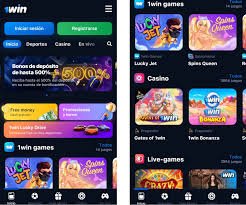
Android: 1win APK download sequence
Open the verified mobile site in Chrome or Samsung Internet. Locate the Android application button—wording varies. Download the 1win APK file, then open Downloads and tap install. Android prompts to allow installs from that source once; enable temporarily, install, then disable again to reduce attack surface. On first launch, grant only necessary permissions: notifications optional, location usually unnecessary for betting.
Updates may not auto-route through Play; revisit the official page monthly or when the app notifies you. Unofficial stores version lag or inject ads. Hash verification is ideal if the operator publishes checksums; if not, at least compare file size and signing certificate details in system settings after install.
iOS: TestFlight, web app, or regional store
Apple policies shift; brands sometimes distribute enterprise profiles or instruct users to add a home screen web app. Follow only the steps shown on the authenticated domain after 1win login. If a profile demands broad device management rights unrelated to betting, stop. Safari is the usual browser for iOS flows; content blockers can interfere with cashier scripts—whitelist carefully.
What “1win game download” really means
Users typing 1win game download may want the whole casino suite offline—which is impossible for regulated live titles—or they mean the container app that streams games. Clarify goals: sports-only bettors need lighter builds than casino-heavy users who download additional game bundles at first play.
PC client versus browser
Windows clients exist for some books to embed multiple live video streams. If you lack admin rights on a work laptop, prefer browser mode. GPU drivers should be current to avoid black screens in live casino.
Storage, cache, and performance
Clear cache if the 1win app balloons storage; saved credentials should persist via secure vault, not plaintext cookies on rooted phones. Moving apps to SD cards can break integrity checks on older Android versions.
Network considerations in Pakistan
Mobile data works, yet latency spikes during peak hours can disrupt live betting. Wi-Fi with stable upstream reduces disconnects. If DNS filtering blocks domains, switching to reputable resolvers may help—still verify legality and operator rules.

Malware red flags
- APK asks for SMS read and call control without reason.
- Package name mismatches brand spelling by one character.
- Installer immediately requests Accessibility Service.
- Odd overlays on top of banking apps after install.
Version parity with web
Some promos display only on web; occasional games launch webviews inside the app. If a feature is missing, fall back to desktop mode in mobile browser rather than trusting random “update APK” blogs.
Kids, sideloading, and family devices
Disable unknown sources after install on shared tablets. Parental controls should block gambling URLs and stores. Educational profiles on Android should not share the adult Google account used for payments.
Performance tuning on budget Android
Disable battery optimizations selectively for the betting app if killswitches interrupt live sessions—trade-off is higher background drain. Reduce animation scales in developer options if the UI stutters during odds updates. Close heavy camera apps before launching HD live casino streams.
Accessibility installs
Screen reader users should verify focus order in bet slips; some webviews trap focus. Request support escalation if critical buttons are unlabeled—regulators increasingly care about a11y.
Backup before phone swap
Export bet history if the product provides CSV. Screenshot open tickets. Reinstall from official source on the new phone before decommissioning the old one to test login.
Table: install methods compared
| Platform | Typical path | Update style |
|---|---|---|
| Android | APK sideload | Manual re-fetch from official site |
| iOS | Web clip / alt distribution | Follow operator notices |
| Windows | Installer EXE/MSI | In-app or re-download |
| Browser | No install | Always latest server assets |
Long FAQ: 1win apk and app
Is 1win apk download legal?
Laws vary; legality depends on your jurisdiction and operator licensing—not on this article.
Do I need antivirus?
Modern Android security plus careful sourcing beats bloated cleaners; scan downloads if unsure.
Can I install on emulator?
Some operators ban emulators for fraud reasons; accounts may be limited.
Why install fails?
Corrupt download, low storage, or conflicting signatures from older installs—uninstall old clones first.
Does airplane mode help installs?
No; you need network to download, but switching to airplane after install tests offline behavior.
Can I move APK to friend?
Risky—friend might lack latest patch; always use official distribution.
Are smaller APKs safer?
Size alone proves nothing; signature and source matter.
What about Huawei without GMS?
Sideload still works; push notifications may be limited.
Do I need OBBS?
Casino apps rarely use expansion OBBs; be suspicious if demanded.
Can I run on tablet?
Yes if res layouts support it; landscape may improve live multi-view.
Why duplicate icons?
Multiple installs from different signatures; remove unknown one.
Does dark mode save battery?
OLED screens benefit; live video still dominates drain.
Should I allow GPS?
Only if promo geo-targeting explicitly requires it.
Can apps detect root?
Yes; some features may refuse to run—read terms.
Is split APK fine?
Official bundles from the site are okay; merge tools from forums are not.
What if parse error?
Download again; ensure Android version meets minimum SDK.
Can I downgrade?
Often blocked; may require uninstall and data loss.
Are push promos spam?
Disable in OS settings per channel if noisy.
Does low power mode affect odds?
It can throttle JS timers in webviews—disable during live betting.
Final word?
Treat 1win download as a security decision, not a race.
More: 1win login, 1win Pakistan, casino & Aviator, bonuses.