
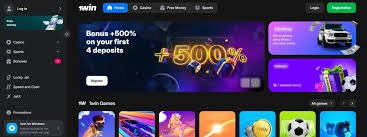
Standard 1win login flow
Most users who completed registration with email will open the official domain, tap Login, enter email and password, and pass any captcha or bot checks. Phone-based accounts substitute the phone number for email; country code must match the registered SIM. Social sign-in routes through the provider OAuth window—ensure you are not granting access to a third-party domain that impersonates the provider.
After a successful 1win login, the session cookie keeps you signed in. On shared phones, decline “remember me” and log out explicitly. For biometric quick unlock inside the 1win app, the secure enclave stores keys locally; still protect the device passcode because biometrics can be coerced in edge scenarios.
When 1win login fails: practical diagnostics
Start with the simplest causes: caps lock, wrong keyboard layout, stale autofill from an old password, or trying the wrong domain mirror. Clear site data for the official host only, then retry. If the operator uses Cloudflare or similar, aggressive VPN IPs may trigger challenges—try a clean residential connection. If SMS codes never arrive, confirm carrier filtering of short codes and request voice call OTP if offered.
Repeated failures can trigger temporary lockouts to deter brute force. Wait the stated cooldown rather than hammering attempts. If you suspect account compromise, reset password immediately and review recent sessions in account security settings where available.
Password reset without scams
Use the in-product “Forgot password” on the same domain you used to register. Email links should point back to that domain over HTTPS. Never share OTPs in Telegram “support” channels. Legitimate agents do not ask for your full password or private wallet seed phrases. If a reset link expires, generate a new one rather than clicking cached copies in email previews that might be outdated.
1win Aviator login is the same account
There is no separate magical 1win aviator login—it is your standard account opened on pages that host Aviator. Scam landing pages sometimes advertise a “dedicated Aviator portal” to harvest credentials. Verify certificate subject and URL. Inside the game, session tokens should refresh quietly; if you are asked to log in repeatedly every minute, suspect a network middlebox or malware.
Two-factor authentication and backup codes
Where 2FA exists, prefer an authenticator app over SMS when available. Print or store backup codes offline in a sealed place. Losing both device and codes can lock you out equally badly as a hacker would—balance paranoia with redundancy. If you change phones, migrate authenticator seeds before wiping the old handset.
Corporate, school, and public Wi-Fi
Captive portals and TLS inspection can break websockets used by live betting or crash games. Symptoms include perpetual loading or login loops. Mobile data often bypasses these issues. If you must use public Wi-Fi, ensure HTTPS-only pages and consider VPN only if permitted by operator terms—some geofencing rules conflict with VPN exit nodes.
Account sharing and device limits
Terms typically prohibit sharing one account across friends. Concurrent sessions from distant geolocations trigger fraud alerts. Family members should maintain separate KYC-backed profiles if allowed. Youth access must be blocked with device parental controls; 1win login screens are not a substitute for parenting software.
Table: common login errors and responses
| Symptom | Likely cause | Action |
|---|---|---|
| Invalid credentials | Typo or outdated password | Reset password on official domain |
| Captcha loop | VPN or automation flags | Use clean network, disable extensions |
| OTP delay | Carrier filter | Retry, try voice OTP, different SIM |
| Account locked | Too many tries | Wait, contact in-app support |
| Session expired | Idle timeout | Re-login; save bet slips offsite if needed |
Security hygiene checklist
- Unique password stored in a password manager.
- Bookmark only verified domains; ignore cold DMs.
- Update Android WebView and browser—login bugs often trace to old engines.
- Revoke old sessions after phone theft via support.
- Turn off cloud backup for authenticator secrets if your threat model requires it.
Session tokens, cookies, and cross-site tracking
Modern sportsbooks set HttpOnly cookies to reduce XSS theft of session tokens. Still, malicious browser extensions can read page content. Keep extension installs minimal. Incognito mode does not hide activity from the operator—only from local history after you close the window. Clearing cookies while solving login issues is targeted: remove data for the official host rather than wiping all sites, which destroys convenience elsewhere.
Cross-device login sometimes emails alerts—enable them to detect unfamiliar cities or ASNs. If alerts are not available, periodically review last-login IP fragments shown in account security pages. Corporate NAT IPs can look shared; focus on impossible travel patterns.
Legal identity mismatches
If your legal name includes patronymics or multiple surnames, ensure KYC matches payment instrument names exactly. Middle initials matter on some card processors. For joint accounts, withdraw to the verified individual profile only.
Linking login to payments
First withdrawal may require re-login on web even if app login works, because document upload portals sometimes exist only on desktop layouts. Complete KYC early to avoid trapped balances. Save PDF confirmations of tax-relevant wins if your jurisdiction demands reporting.
Related reading
Install paths and APK safety: 1win app download. National context: 1win Pakistan. Games overview: 1win casino & Aviator. Promos and PKR rails: bonuses & payments.
FAQ: 1win login
Can I change my login email?
Policies vary; often partial changes require support verification. Expect delays for anti-fraud reasons.
Does incognito help?
It isolates extensions and cookies for debugging; it is not a security superpower.
Why am I logged out often?
Security policies, cookie cleaners, or multiple devices fighting for session tokens.
Is biometric login safe?
Convenient if device is yours alone; disable if you lend the phone.
What if support asks for my password?
Refuse—legitimate support resets via automated flows.
Can I use Face ID on iOS web?
Depends on Safari integrations; native app paths may differ.
Are CAPTCHAs forever?
Risk engines relax after trust signals accrue on your device and IP.
Should I photograph my screen with codes?
Avoid—QR login codes can be replayed if leaked.
What about clipboard paste attacks?
Malicious apps read clipboards; clear after pasting passwords.
Do I need separate logins for poker?
Usually the same account switches lobbies; nickname may differ.
Why does Aviator ask login again?
Possible iframe isolation bug or network drop—reload on official domain.
Can I merge two accounts?
Rare; support might pick one KYC profile and close duplicates.
Is SMS 2FA enough?
Better than nothing; SIM-swap risk makes app-based TOTP stronger.
What logs should I keep?
Ticket IDs, time stamps of deposits, and device model if disputing access.
Does clearing cookies delete balance?
No—balances live server-side; you only lose local session.
Can workplaces see my login?
If they TLS-inspect, assume they can; use personal data for betting.
Why different mirrors?
Redundancy; always confirm authenticity via official comms.
Is password length better than complexity?
Long memorable phrases beat short complex ones if unique per site.
Final tip?
Calm, verified steps beat panic clicking on ads after a failed login.